
We’ve received reports from players who are unable to load the game and are repeatedly seeing the Launcher pop-up on Mozilla Firefox. We apologize for the inconvenience and appreciate your patience while we work on improvements.
You can resolve this issue by following the steps below:
Can’t Access the Game on Facebook?
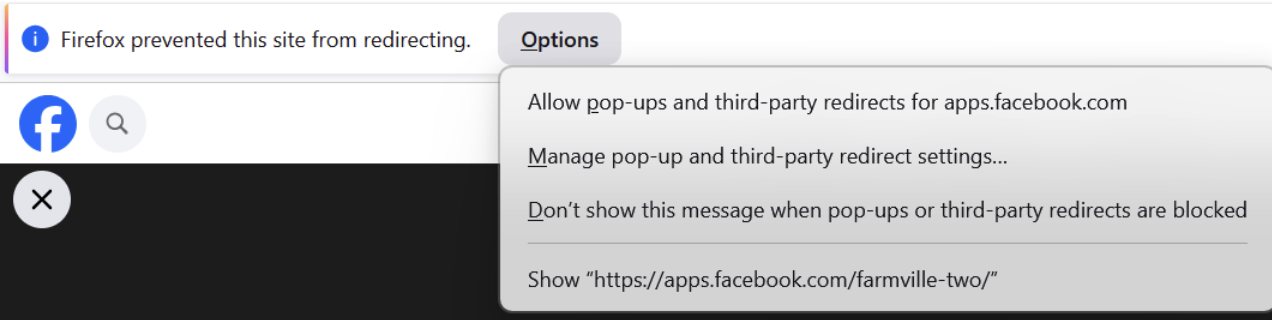
If you see a bar at the top of your screen that says:
“Firefox prevented this site from redirecting”,
you will need to allow pop-ups and third-party redirects for apps.facebook.com.
When the bar appears:
- Click Options on the bar at the top of your screen
- Select Allow pop-ups and third-party redirects for apps.facebook.com
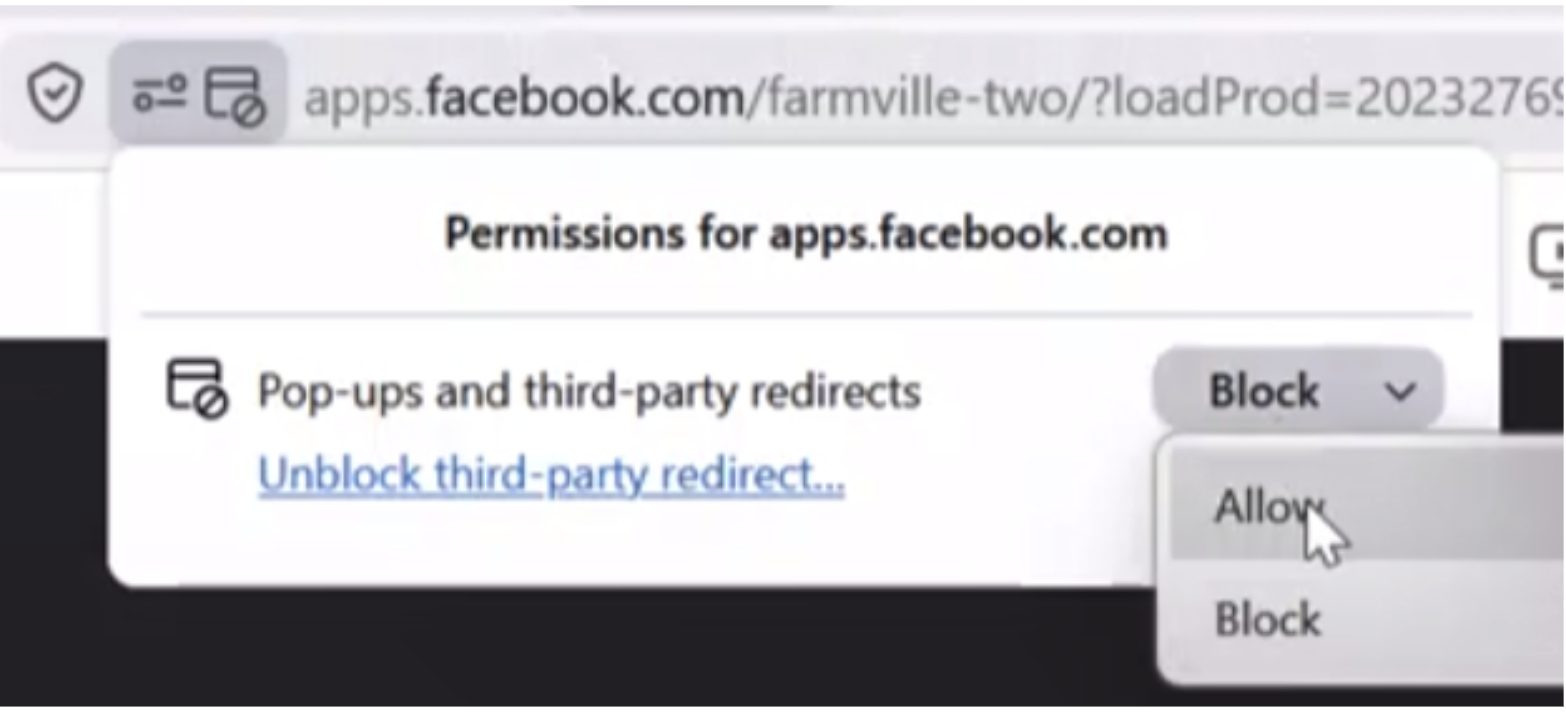
If you accidentally closed the bar:
- Click the View Site Information icon (next to the URL in the address bar)
- Locate Pop-ups and third-party redirects
- Click the dropdown menu
- Select Allow
Once this setting is enabled, refresh the page and the game should load as expected. Thanks for your understanding and cooperation while we improve the experience!