
We’ve received reports from players who are unable to load the game and are repeatedly seeing the Launcher pop-up on Microsoft Edge. We apologize for the inconvenience and appreciate your patience while we work on improvements.
You can resolve this issue by following the steps below:
Can’t Access the Game on Facebook?
Disable Local Network Access Check
Open a new tab in Microsoft Edge
Copy and paste the following in the address bar:
edge://flags/#local-network-access-check
Find Local Network Access Checks
Change the setting to Disabled
Restart your browser
Can’t Access the Game on ZyngaGames?
Allow Access to Other Apps and Services
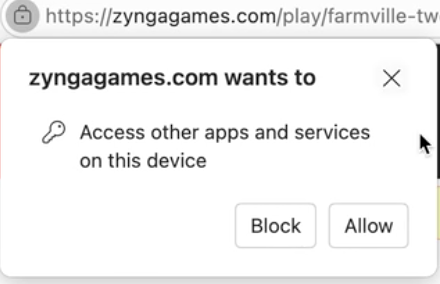
When loading FarmVille 2 on ZyngaGames, Edge may also ask for permission to access other apps and services on your device.
Click the “Allow” button when prompted
Alternative Way to Enable Permissions
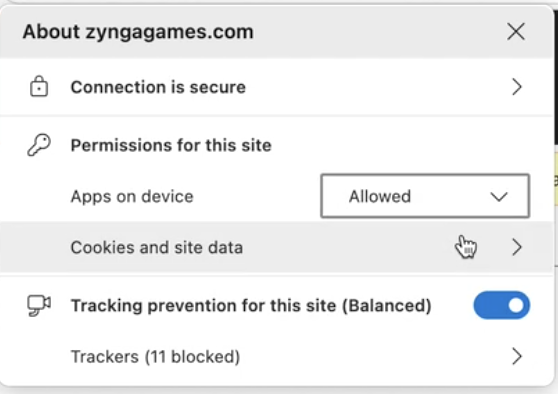
Click the lock icon (next to the URL bar)
Click on Permissions for this site
Find Apps on device
Toggle it ON
Once these permissions are enabled, reload the game and it should work as expected.
Thanks for your understanding and cooperation while we improve the experience!