
We understand many players have faced issues with web browser updates (like Chrome and Edge) impacting their game experience, including difficulties with loading and the login flow. The new FarmVille 2 Desktop App Beta version is designed to bypass these browser-related issues, offering a smoother, more reliable way to play.
You can download the FarmVille 2 Desktop App Beta here.
Installation Steps for Windows:
Download the farmville2-beta file from https://downloads.farm2.zynga.com/
Open File Explorer and navigate to the Downloads folder.
Double-click on the downloaded farmville2-beta file.
IMPORTANT: Handling the Windows Security Warning
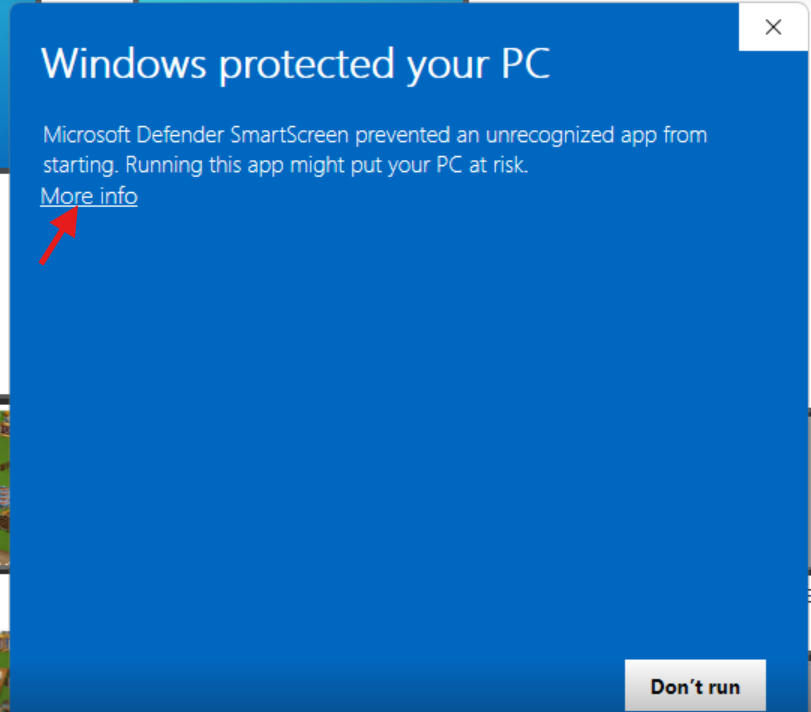
Because this is a beta version, you may encounter a blue Windows security screen. If this happens, follow these specific steps to continue:
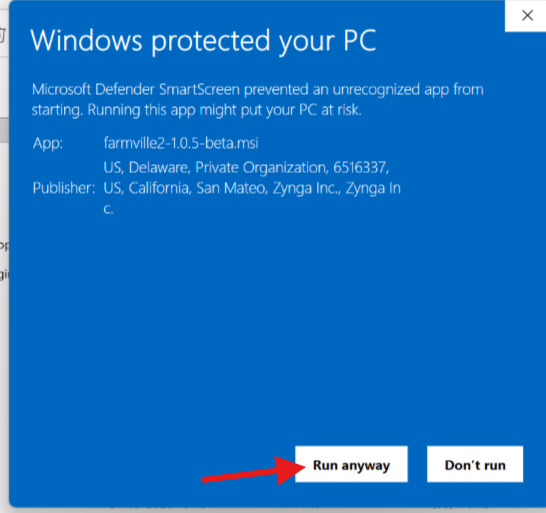
The blue Windows security screen will appear showing the publisher information.
Click on More info.
Click on Run anyway and proceed with the installation.
- If prompted, enter the required administrator credentials to continue the installation.
Wait for the installation process to complete successfully.
Once installed, go to the Desktop and locate the FarmVille 2 game icon.
Double-click the application icon to launch the game.
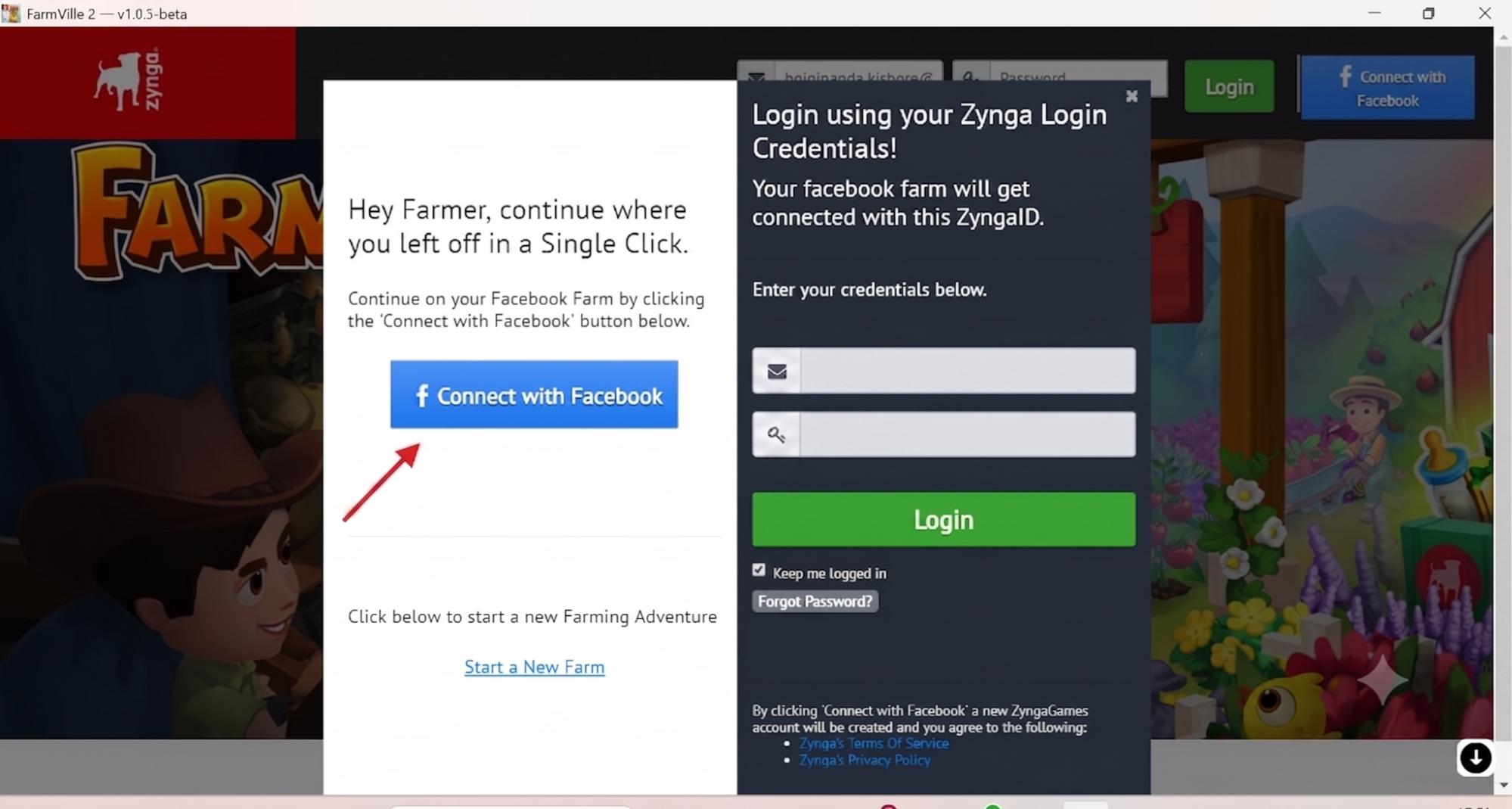
Once the game loads successfully, log in and continue your gameplay progression. You can log in to the game using your Facebook account or your email ID and Password.
Installation Steps for macOS:
- Download the farmville2-beta.dmg file from https://downloads.farm2.zynga.com/
Open File Manager and navigate to the Downloads folder.
Double-click the downloaded farmville2-beta.dmg file.
A FarmVille 2 Desktop folder containing the Applications shortcut and FarmVille 2 Desktop application will appear.
Drag and drop the FarmVille 2 Desktop application to your desktop.
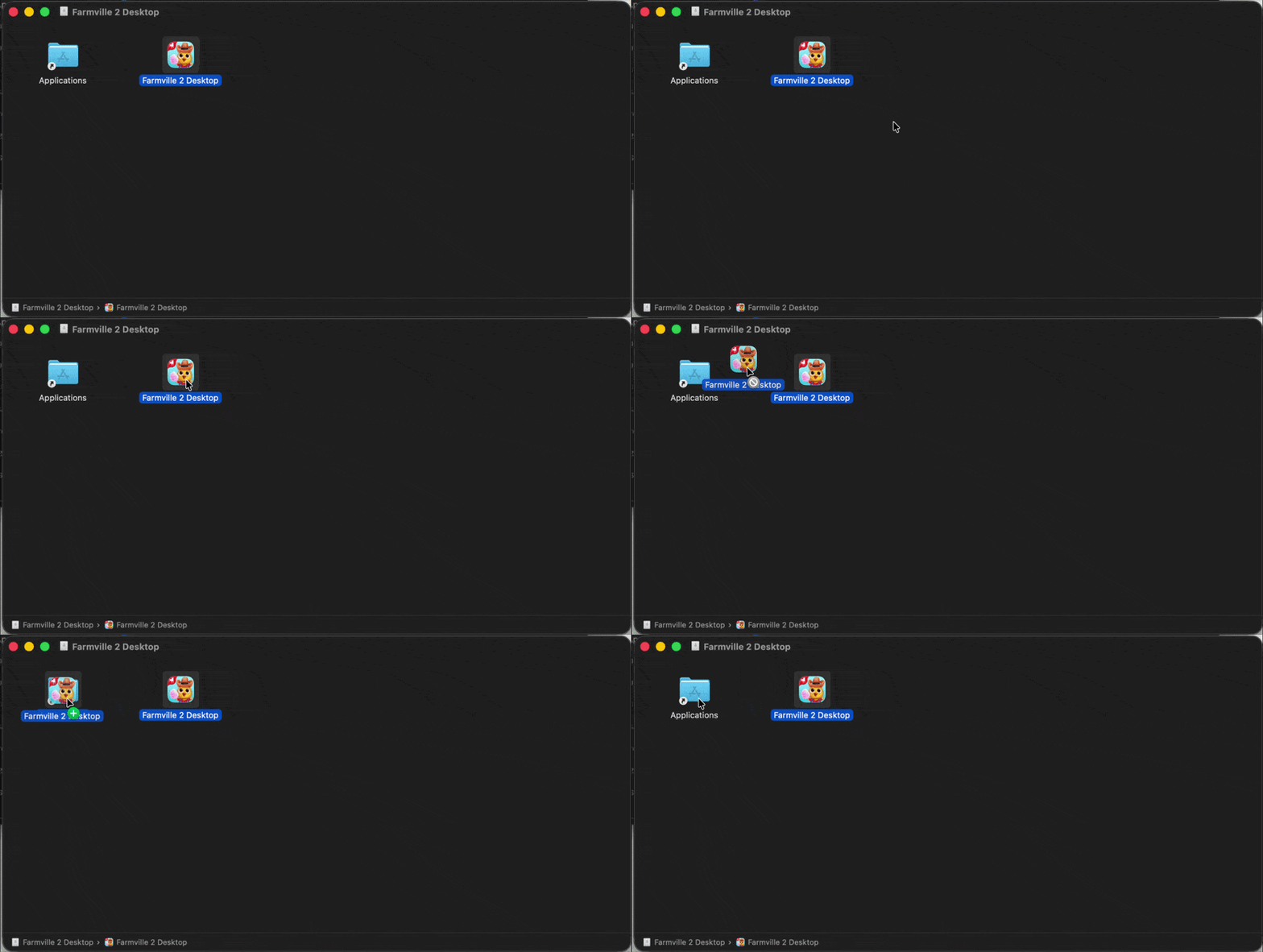
Alternatively, double-click the FarmVille 2 Desktop icon directly from the folder.
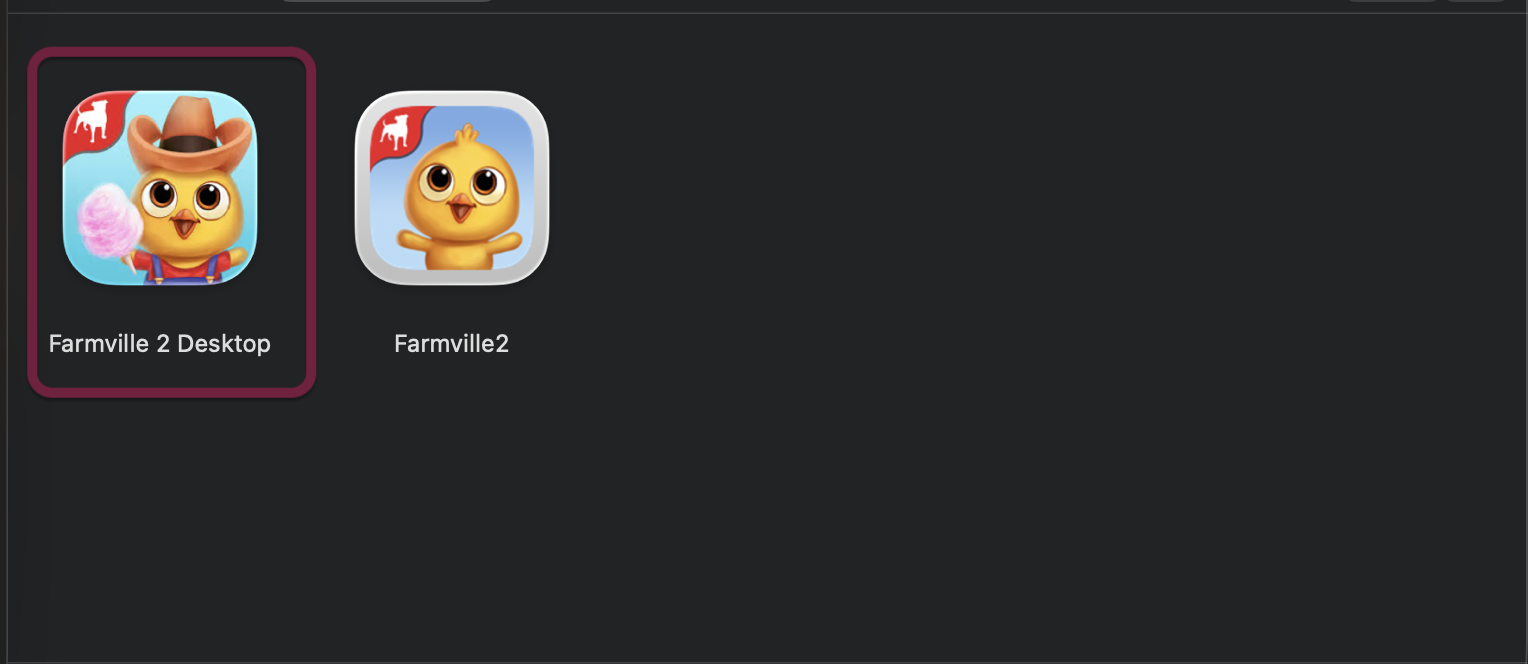
A "Verifying FarmVille 2 Desktop" message will appear, followed by a prompt with Cancel and Open options.
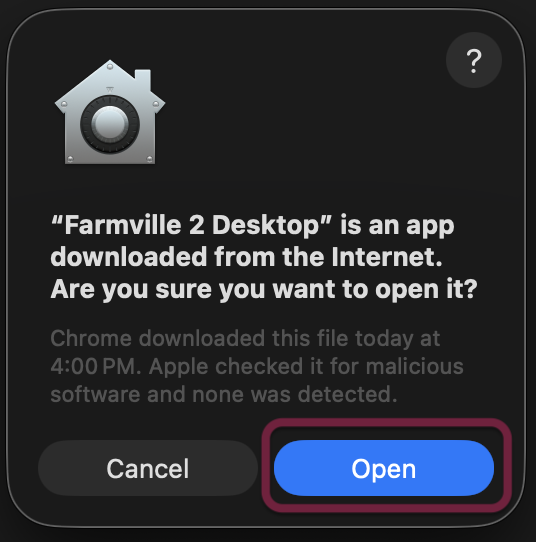
- Click Open.
You will be redirected to the game's login page.
Enter your credentials or connect with Facebook to log in to the game.
- Once the game finishes loading, continue your gameplay progression.
Shape the Future of FarmVille 2!
Your experience in this beta is crucial! Help us ensure the Desktop App is the smoothest way to play by sharing your thoughts. Click the link below to provide your feedback: Give Feedback