
When you reach level 36 or higher you will unlock the new feature, The Back Porch. You can store Workshops, Crops, animals, and decorations inside!
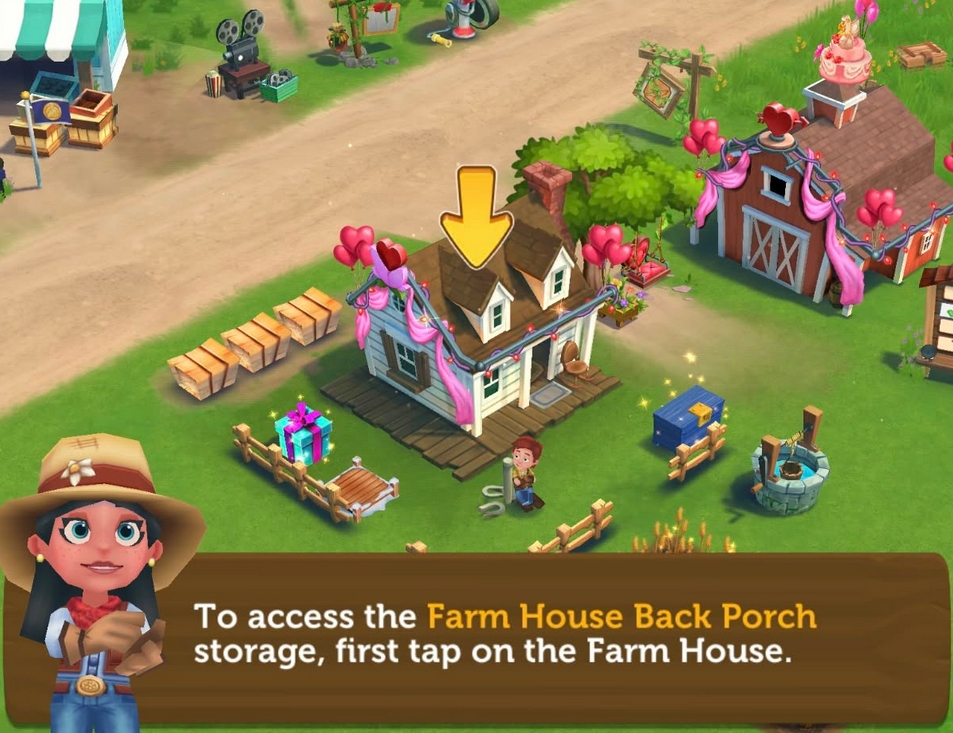
You can upgrade the capacity of the Back Porch. Tap on the White Farm House, and see what items are needed to increase the storage. You'll need nails, padlocks, shovels and a new item, Lightbulbs which can be found in the Mallard Mill.

Let's get started on storing items in the Back Porch. We'll try it on the Apple Tree as an example. Tap and hold the tree until a check mark and the Back Porch buttons appear. Tap the Back Porch button to store it.

Now let's check on the Apple Tree that we've stored. You can find it in the Back Porch and it can be accessed by tapping the Farm House.
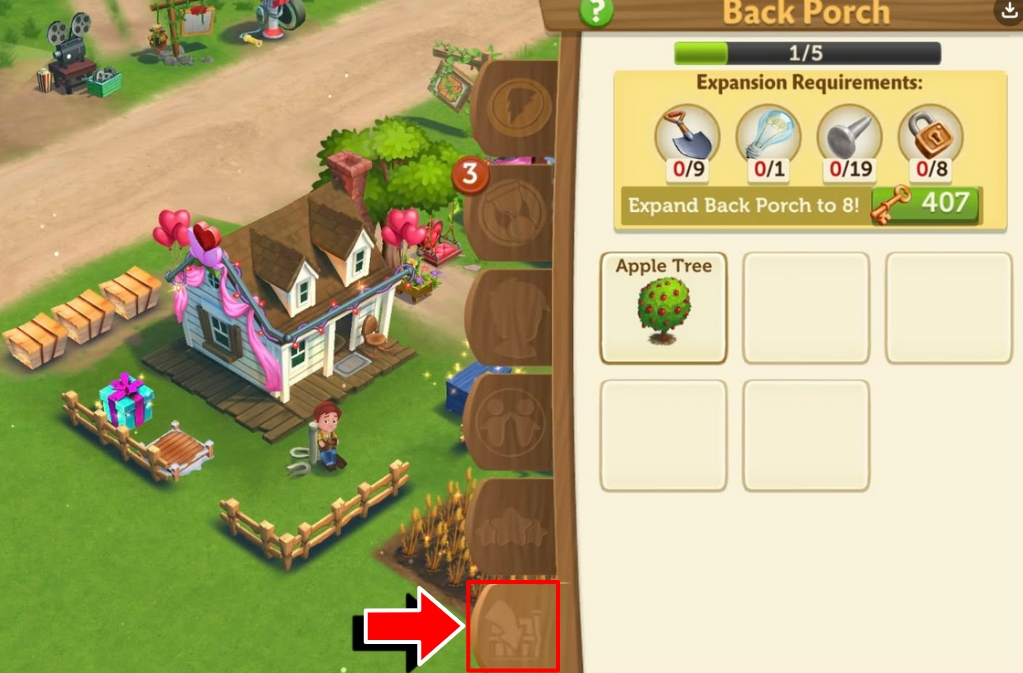
The Back Porch is the last icon in the bottom of the menu.
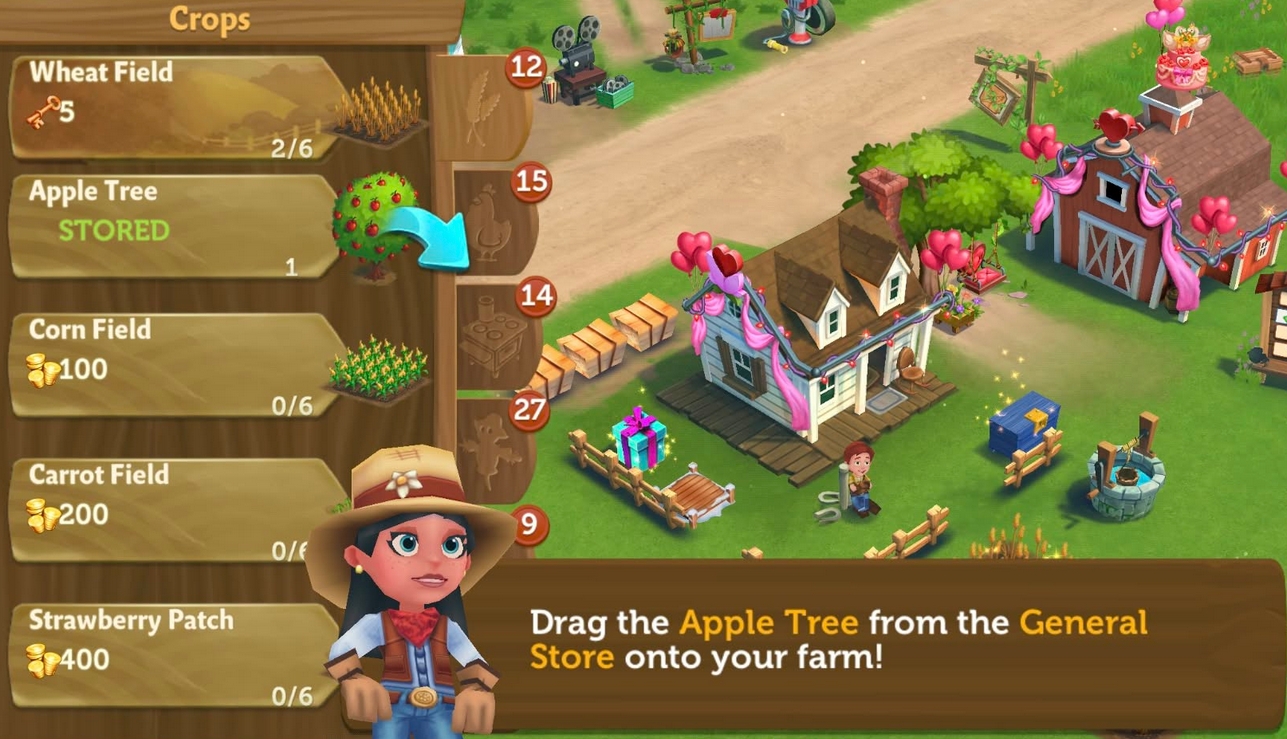
If you wanted to take items out of the Back Porch, there are two ways to go about it. One is by opening the General Store. Check on the items listed and locate the stored item, then drag it onto your Farm.
The other option is for you to click on the item from the Farm House in the Back Porch. Once you tap on a stored item, it will automatically go to the General Store which shows the item.
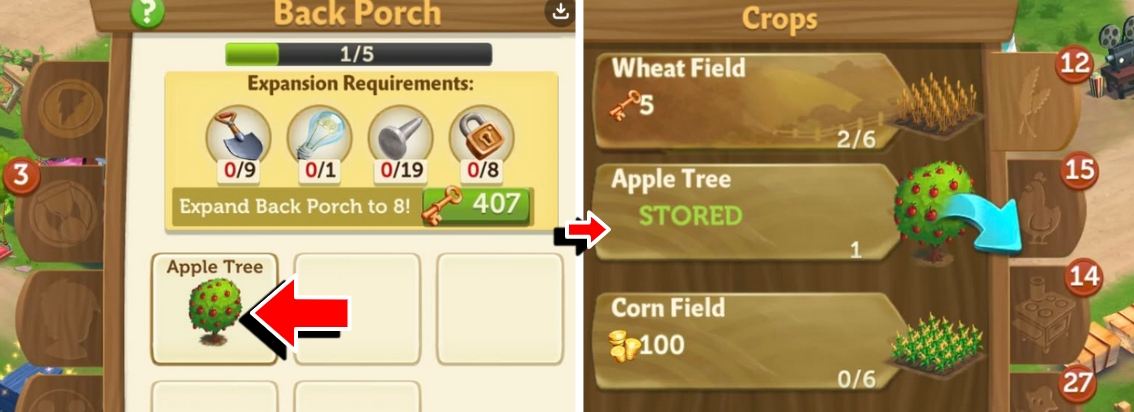
Note: For stored items, instead of Keys or Gold, it will be indicated by the word "STORED".