If you have a Samsung Galaxy phone with One UI software version 6.1.1, you may need to disable Auto Blocker if you want to download, install or update games from zynga.com.
Here are the steps to disable Auto Blocker:
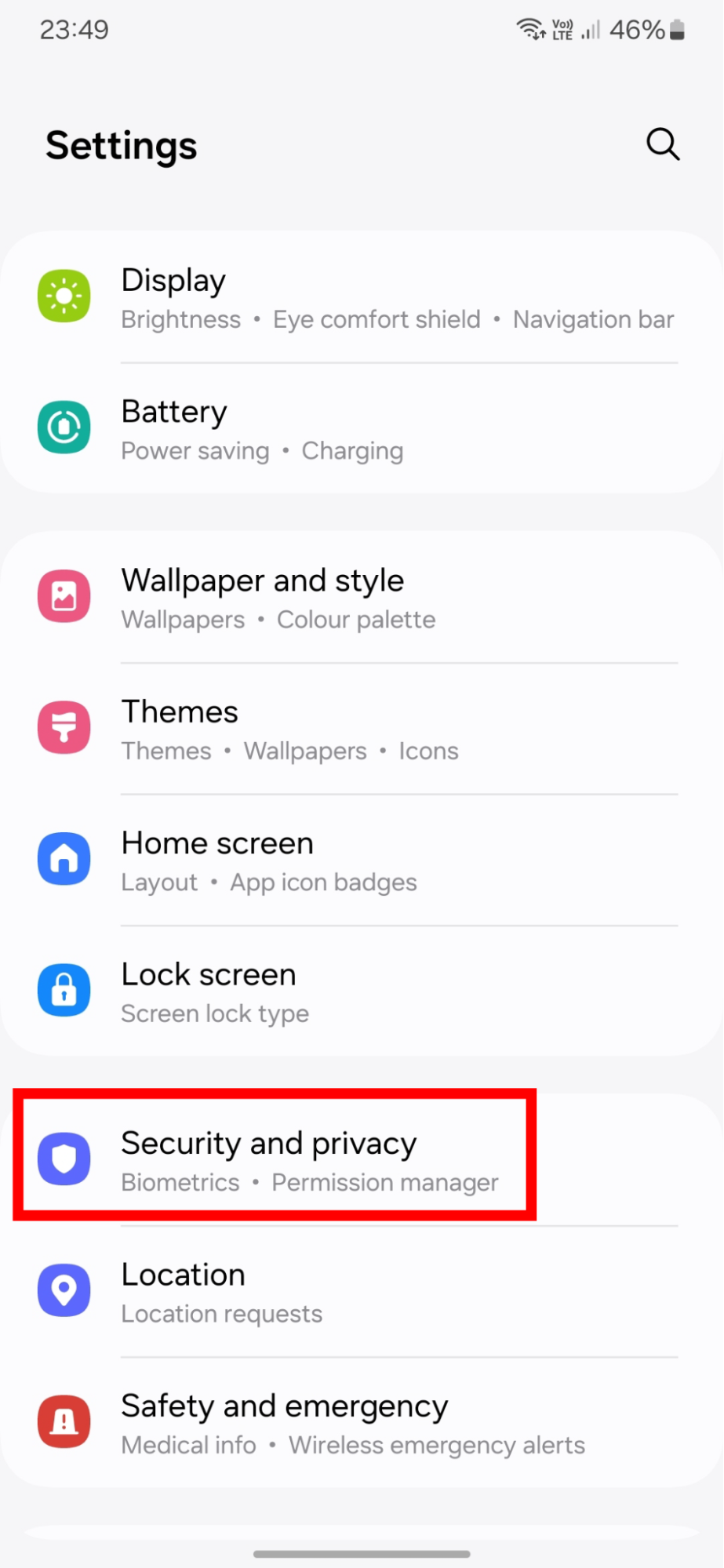
- Go to Settings and then Security and Privacy
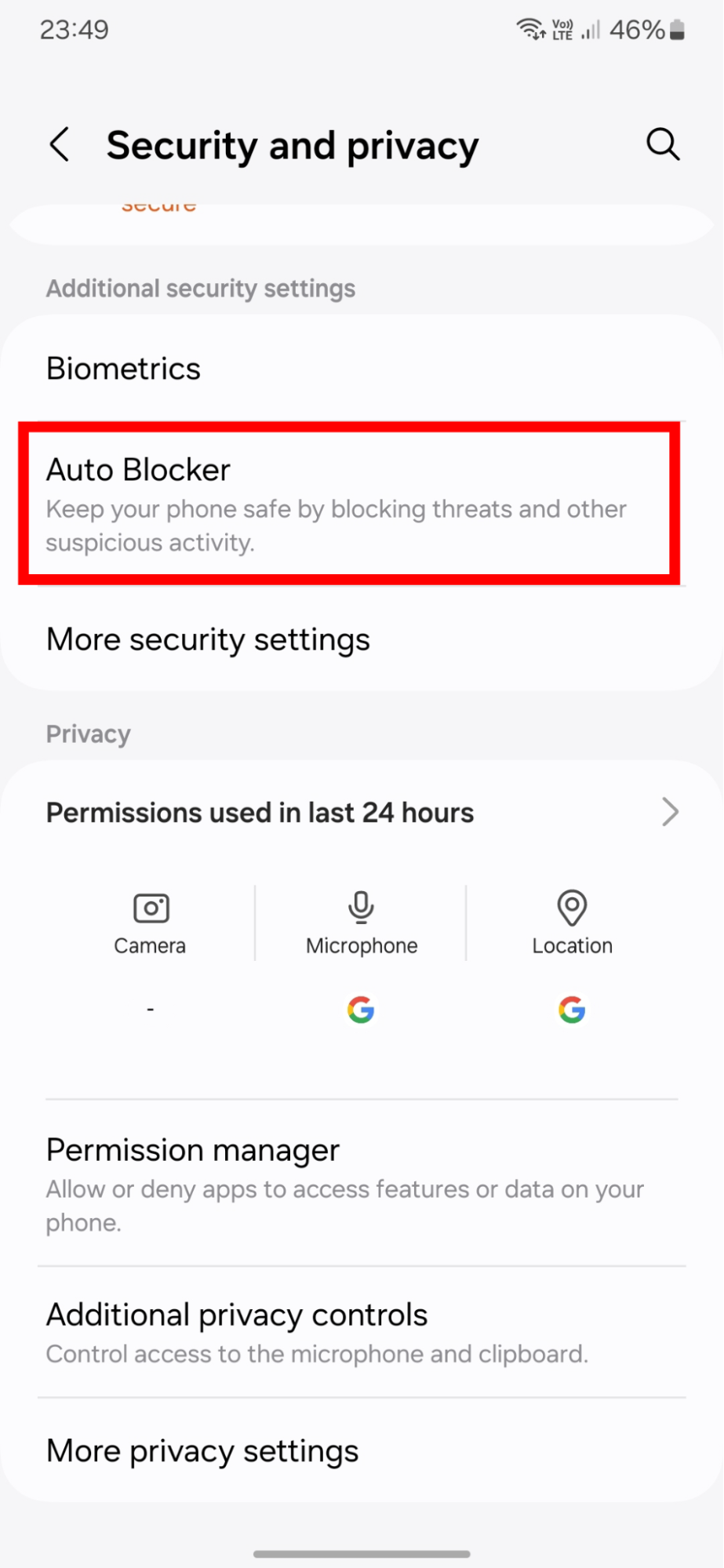
- Scroll down until you see the Additional security settings section
- Tap on Auto Blocker
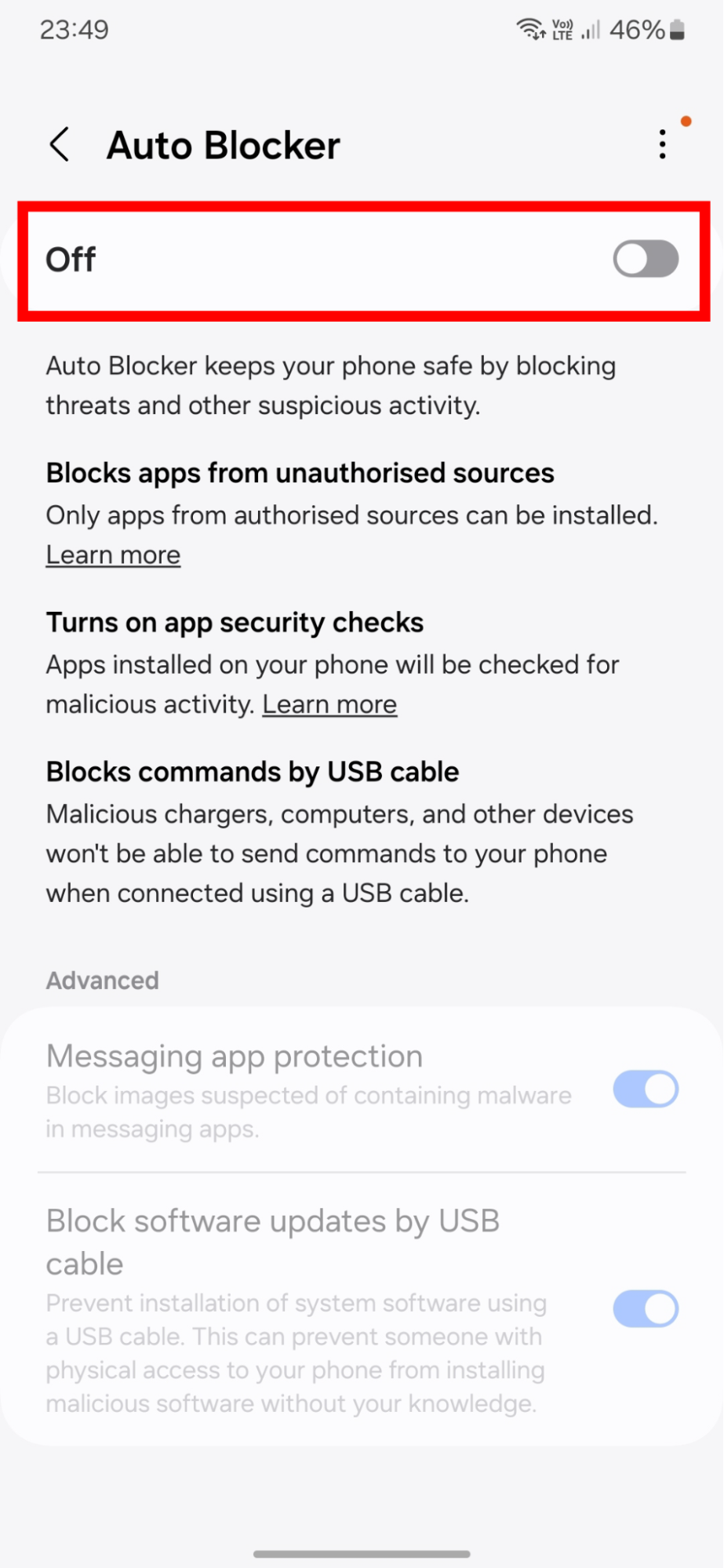
- Toggle off the option for Auto Blocker
You should now be able to follow the steps for downloading and installing games from zynga.com.