This website uses only the necessary cookies required for the site's proper functioning. By using the website, you consent to all cookies in accordance with the cookie policy. To know more, refer Cookie Policy.
Zynga Player Support
Home
Account & Settings
How do I find my ZID?
Last Updated: 49d
1. Open your Settings by clicking on the
hamburger button
located in the top right corner of the screen.
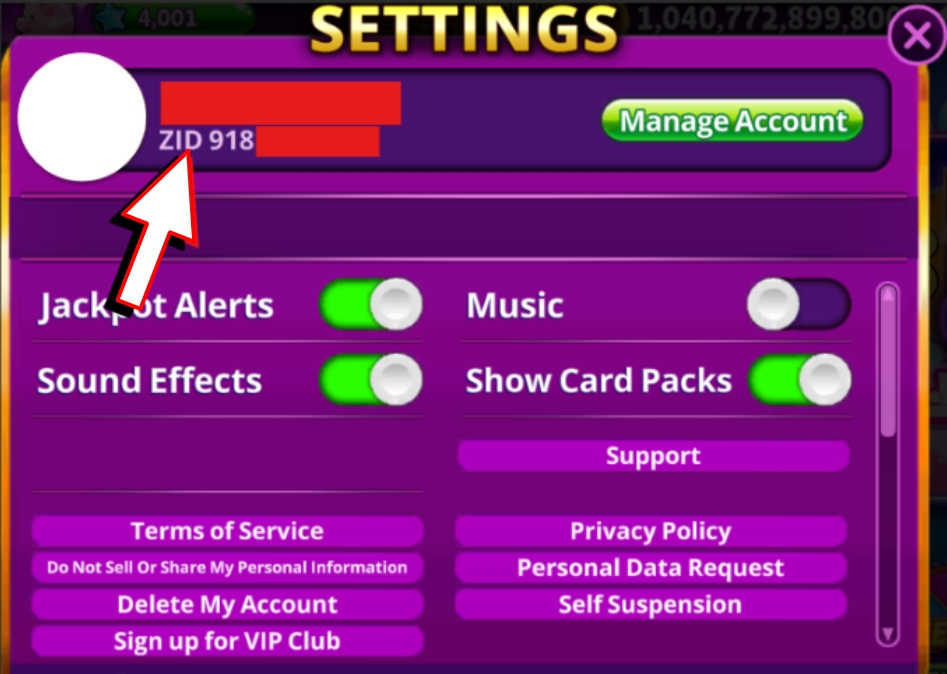
2. Locate your
ZID
, on the upper-right side of the screen.
3. Take note of the number, and you are done!
Related articles