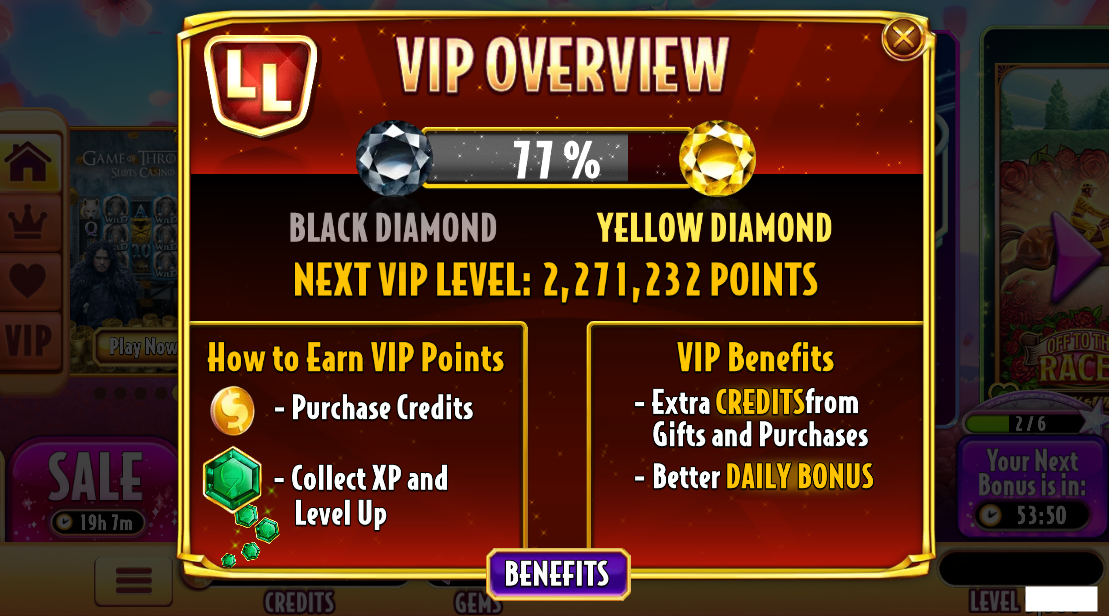
To check your Loyalty Lounge status (VIP Tier), first, click on the menu (3 horizontal lines) in the bottom left corner and then click the “VIP Overview” button to open your Loyalty Lounge Overview. This is where you will see your current VIP Tier progress and how many points are needed to advance to the next VIP Tier.
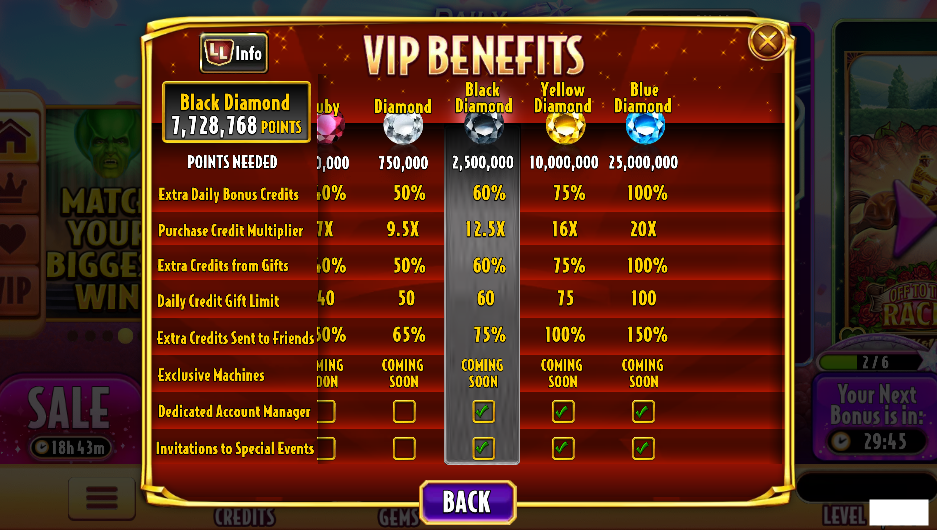
To view more details about your VIP Tier, you can click the Benefits button at the bottom of the VIP Overview to see more information about your VIP Benefits.