
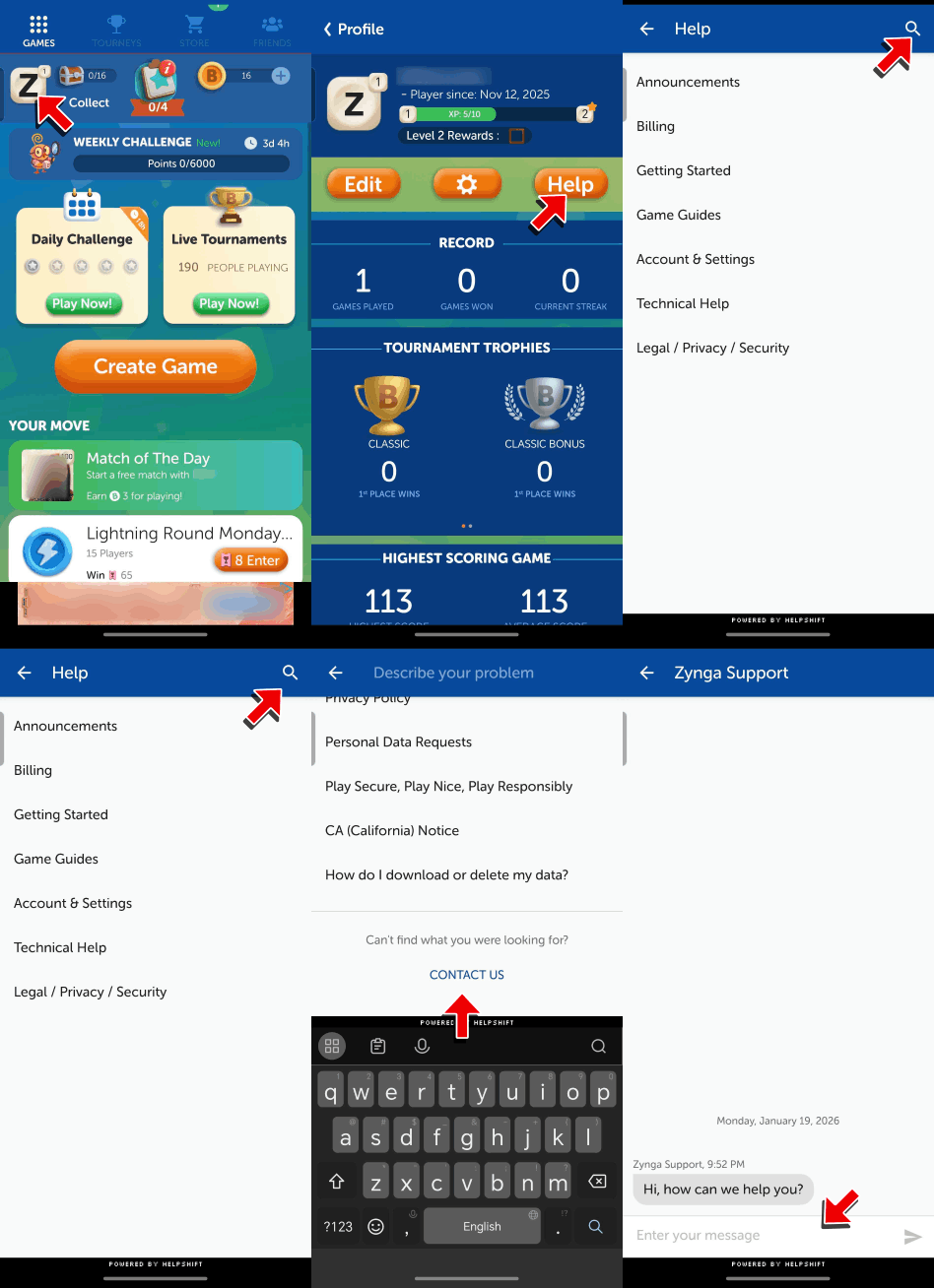
To contact support in-game, please follow the steps below:
Android:
- Go to Profile and tap "Help".
- Tap the Magnifying Glass and tap Contact Us.
- Tap the Chat button.
- Provide a detailed description of your issue.
Check out the GIF below for a demonstration.
iOS:
- Go to Profile and tap "Help".
- You will see a list of articles that might help you with your concern. Tap the deflection article and check if it will help address your issue.
- Select No if the suggestion or workaround didn't work.
- A contact us option will appear.
- Provide a detailed description of your issue and attach a screenshot if necessary.
Check out the GIF below for a demonstration.
