
To sync your game and save your progress.
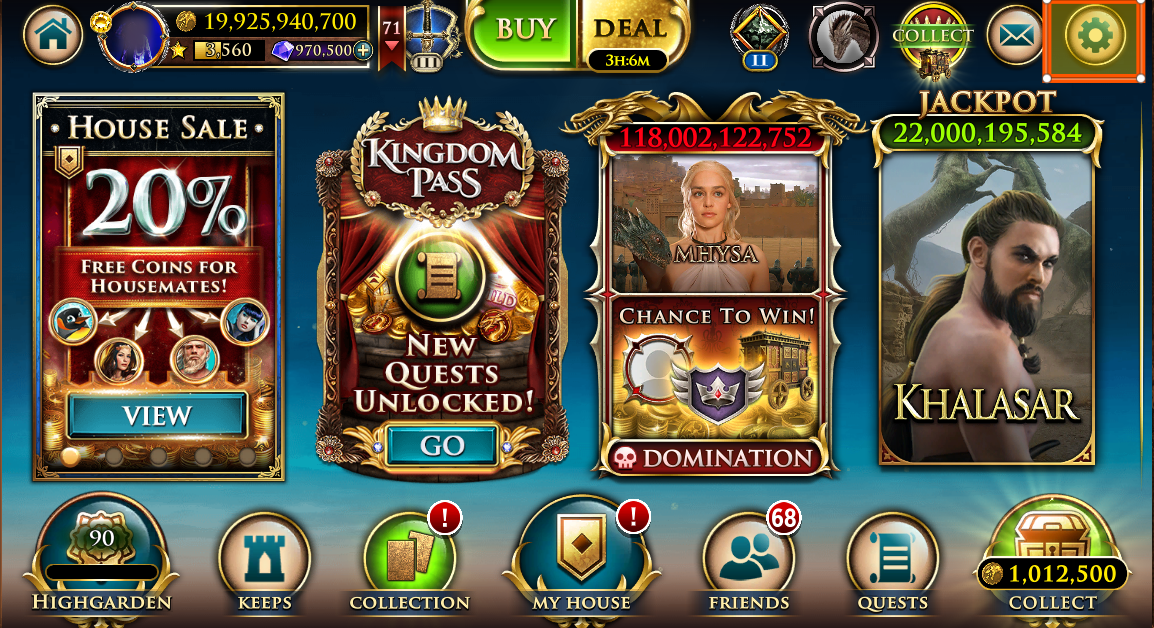
- Tap the gear ⚙ button menu icon in the top right corner of the screen.
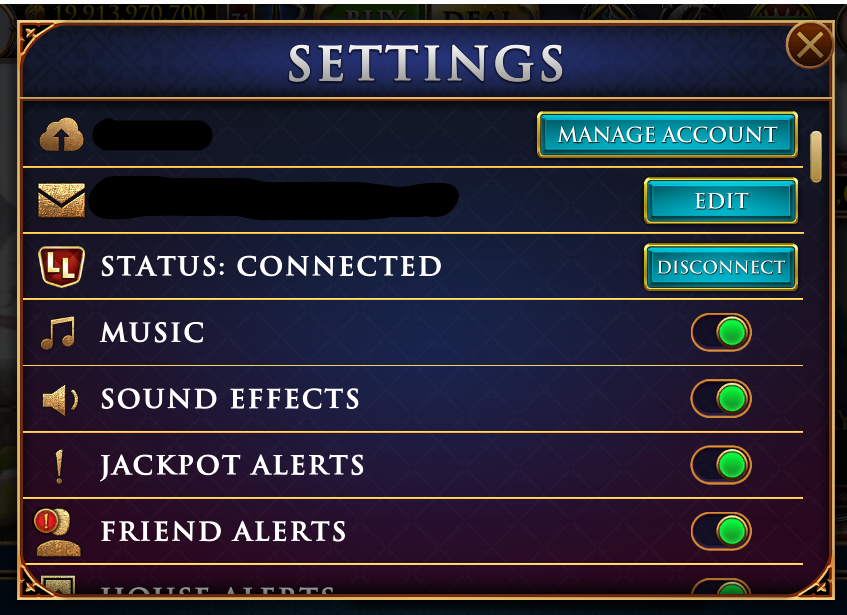
- Click the “Manage Account” button.
- From there, there are 2 options where you can recover your progress. Just make sure to input the correct credentials you used to link into your account.
- You can choose via Email or Facebook connect.
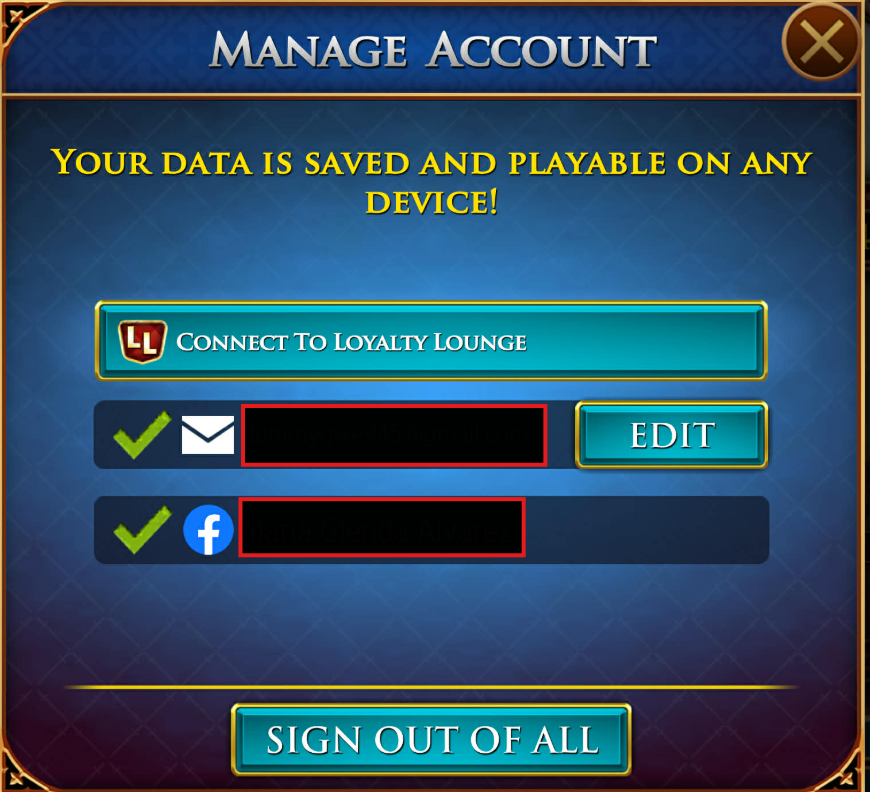
NOTE: Before you connect your game to the Loyalty Lounge, make sure you recover your Primary account.