
We have added an option for you to block unwanted Farmers. This option will prevent the Farmer you block from visiting your Farm, and from finding you through Explore or Search.
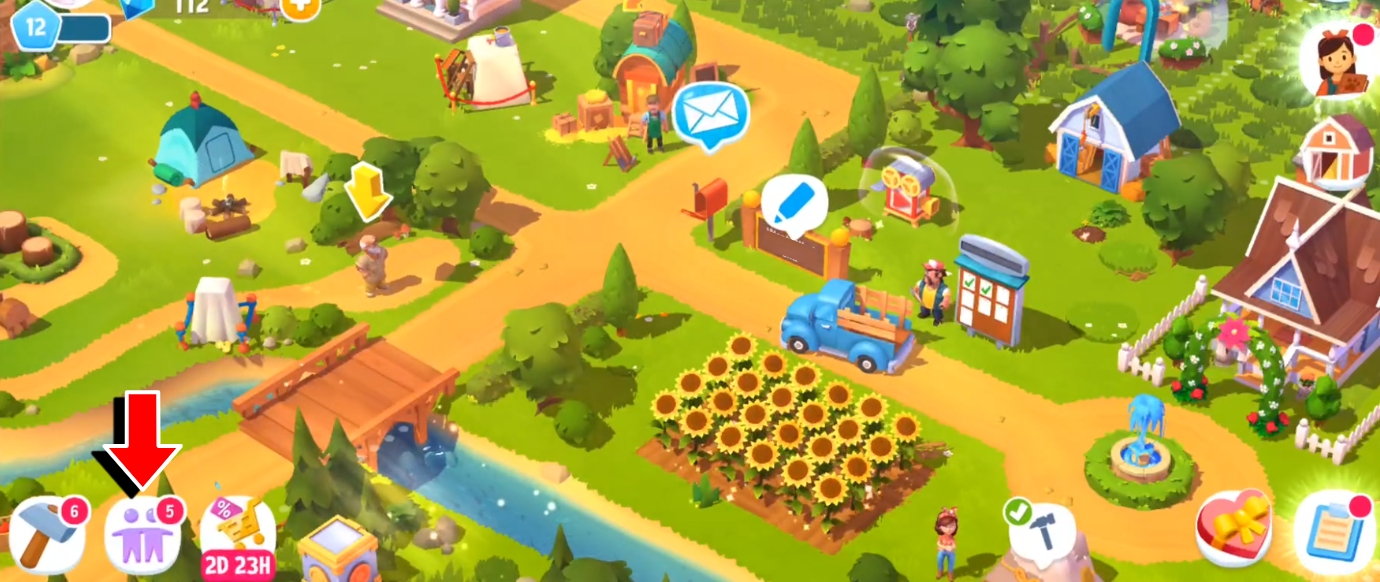
To block another Farmer, open the Neighbors menu by tapping in its designated button located in the bottom-left corner of the screen.
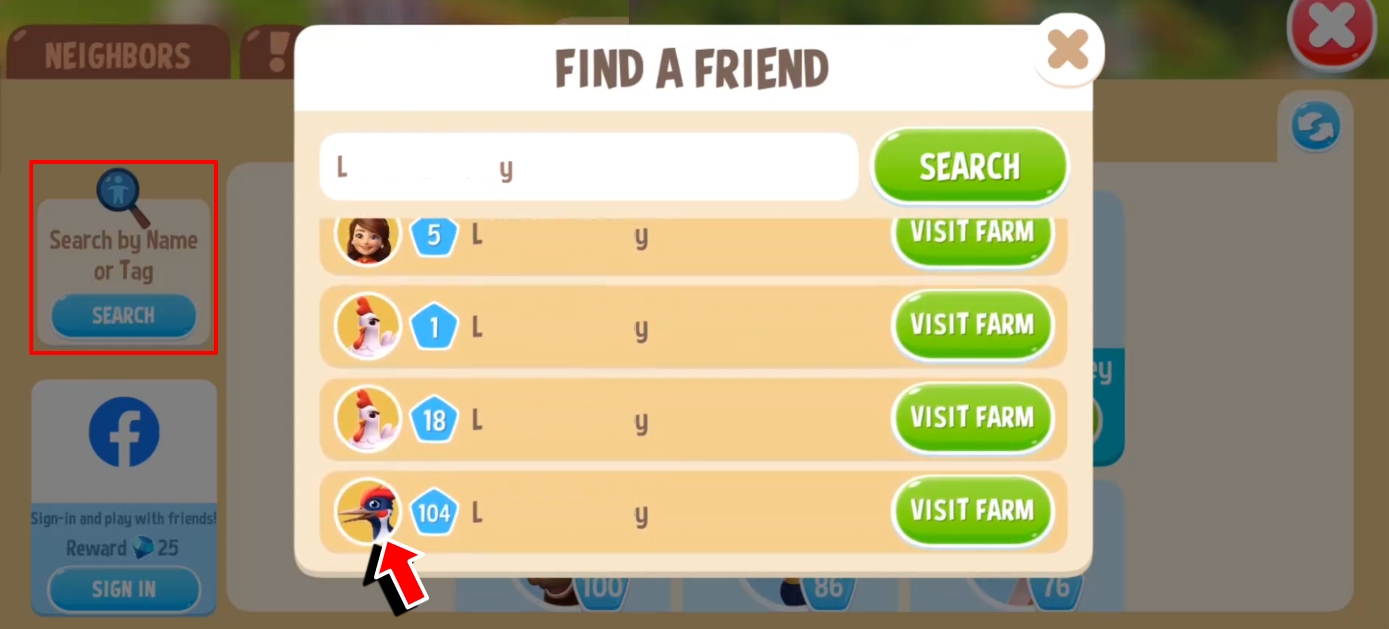
Open the Explore tab, and Search for the Farmer using their farm name, or their Player Tag to get a specific result. Tap on their avatar to view their profile.
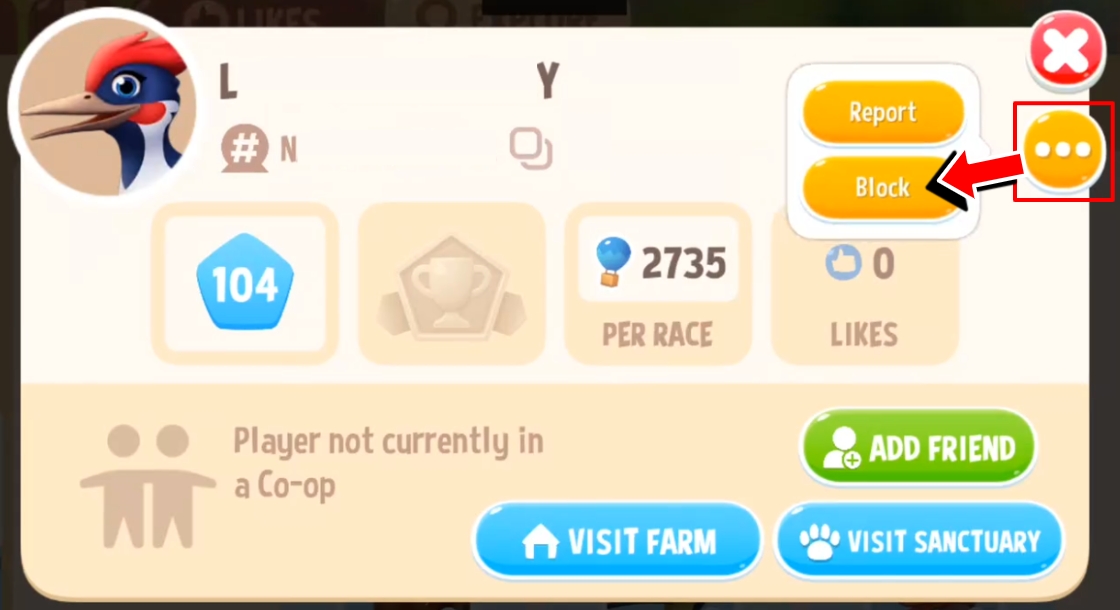
Tap on the 3-dot button on their profile, then tap on the Block button.
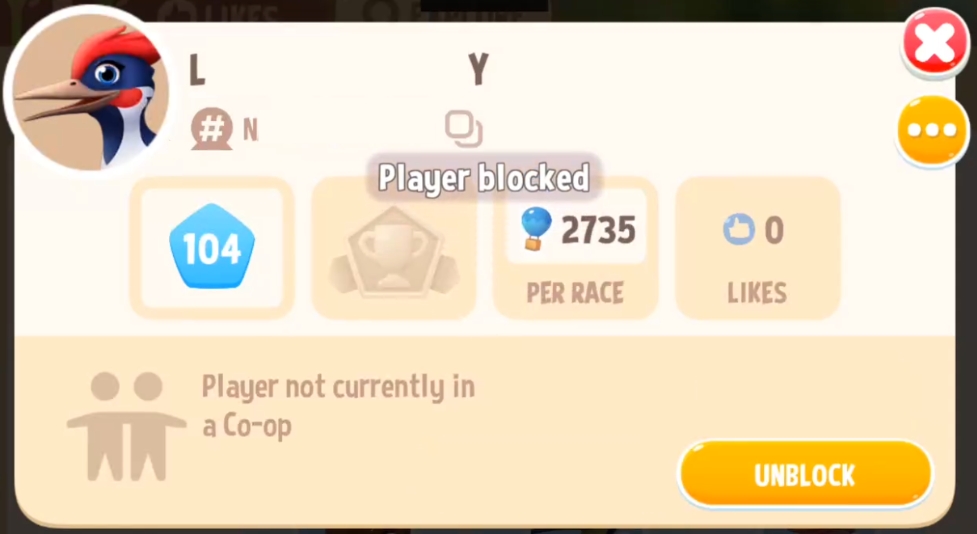
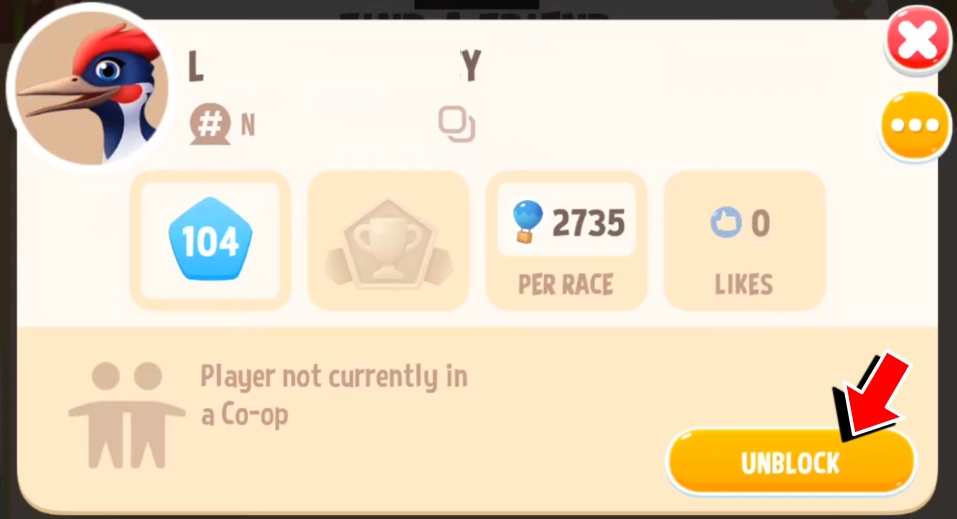
You can’t visit a blocked Farmer’s farm, and they won’t be able to see you using Search until you unblock them. To unblock, replicate the steps given above, and when you’re viewing their profile, tap on the Unblock button.
For any inappropriate behavior, please don’t hesitate to report the player. Visit the guide here.