
Zynga is committed to ensuring that our player experience is fun and safe for all players. If your experience is impacted by the behavior of others, please report these through our in-game reporting feature so we can review them effectively.
We take all reports of player misconduct seriously and investigate all reports that we receive. As part of the process, we will provide you with a status update of your report via email.
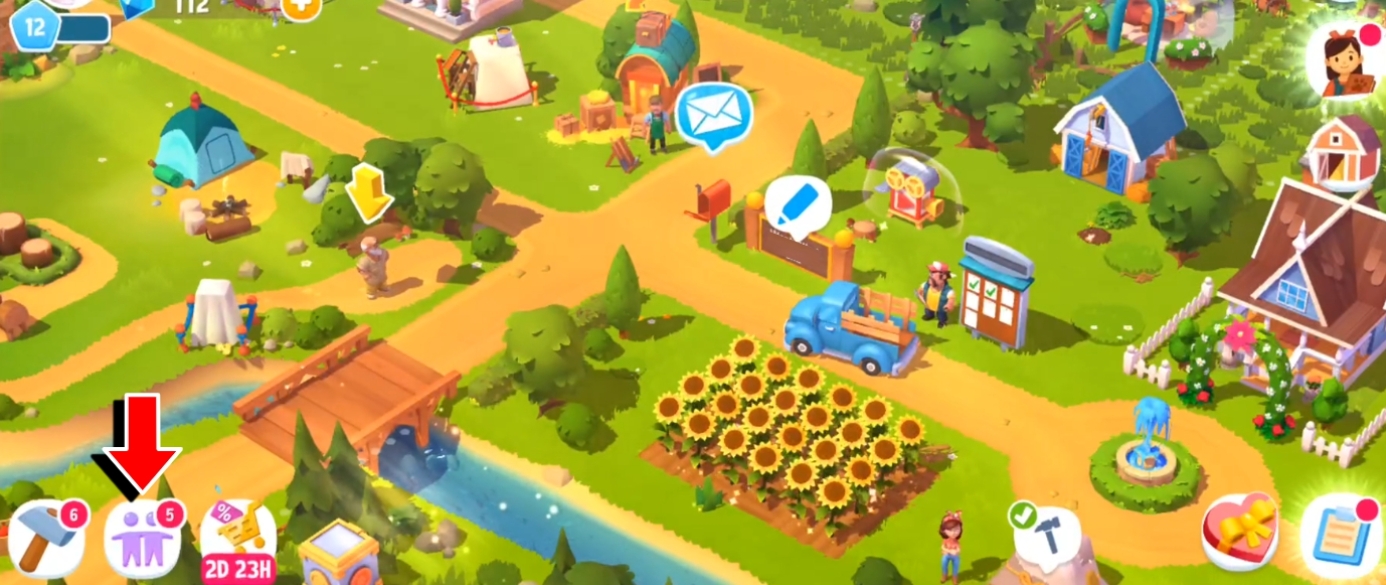
To report someone, open the Neighbors menu by tapping in its designated button located in the bottom-left corner of the screen.
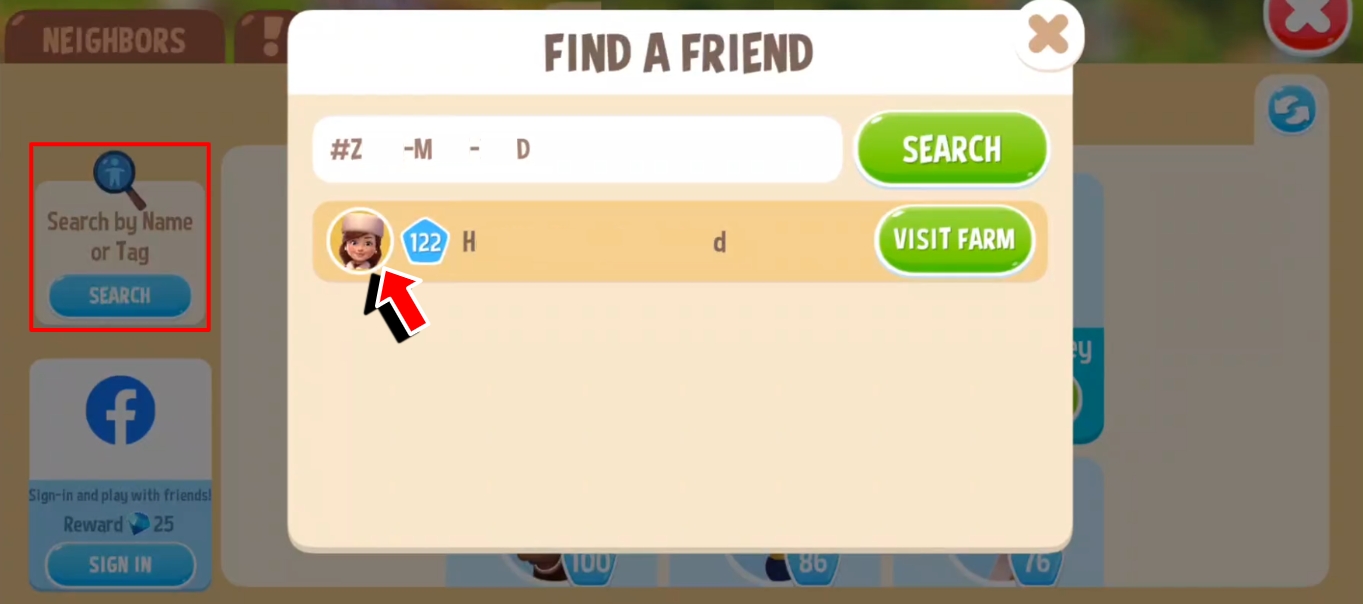
Open the Explore tab, and Search for the Farmer using their farm name, or their Player Tag to get a specific result. Tap on their avatar to view their profile.
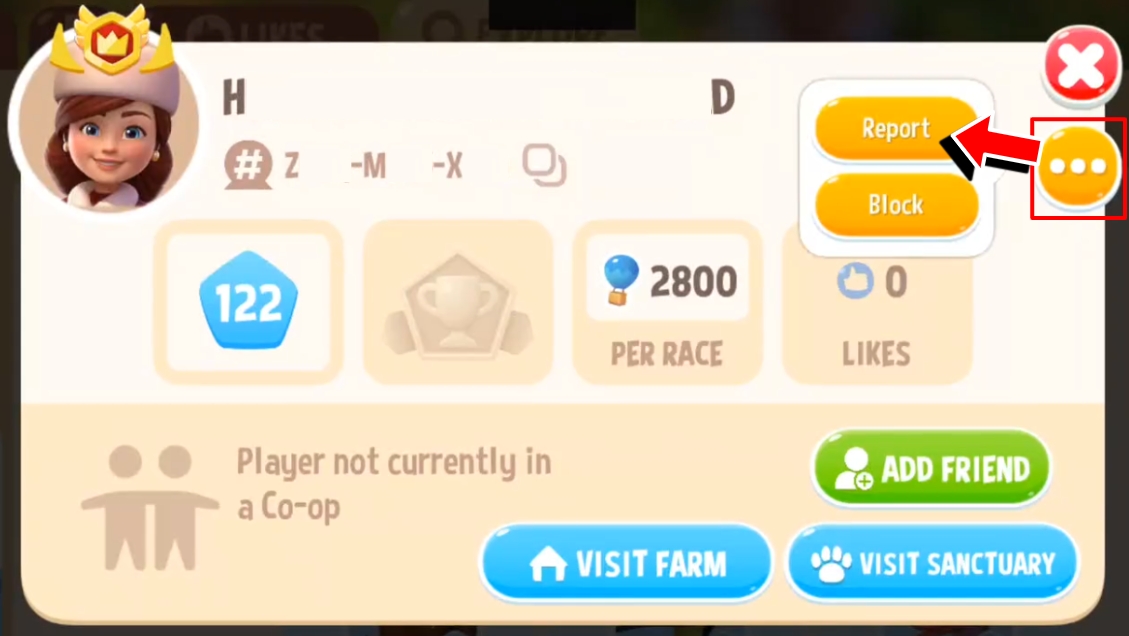
Tap on the 3-dot button on their profile, then tap on the Report button.
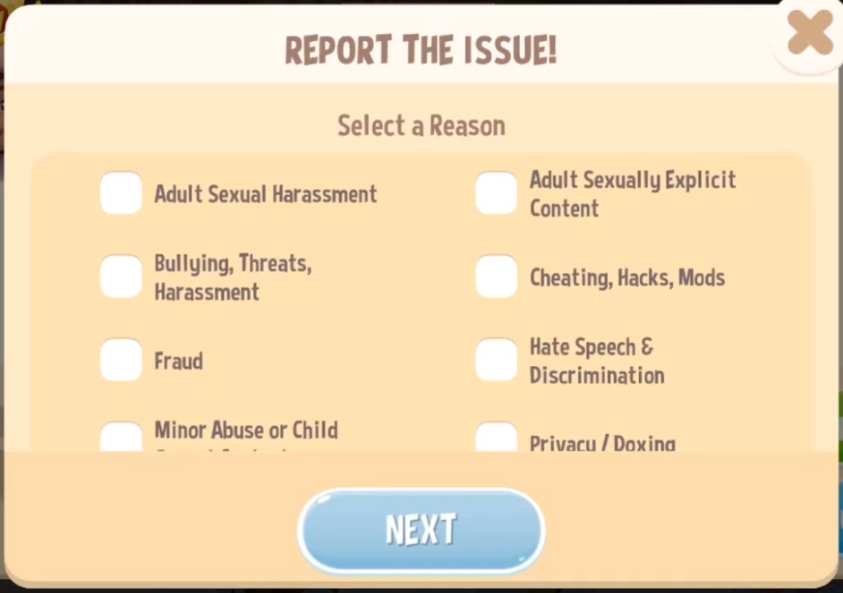
A pop-up window will appear. Check the box for the reason that’s most relevant to your report, then tap on the Next button.
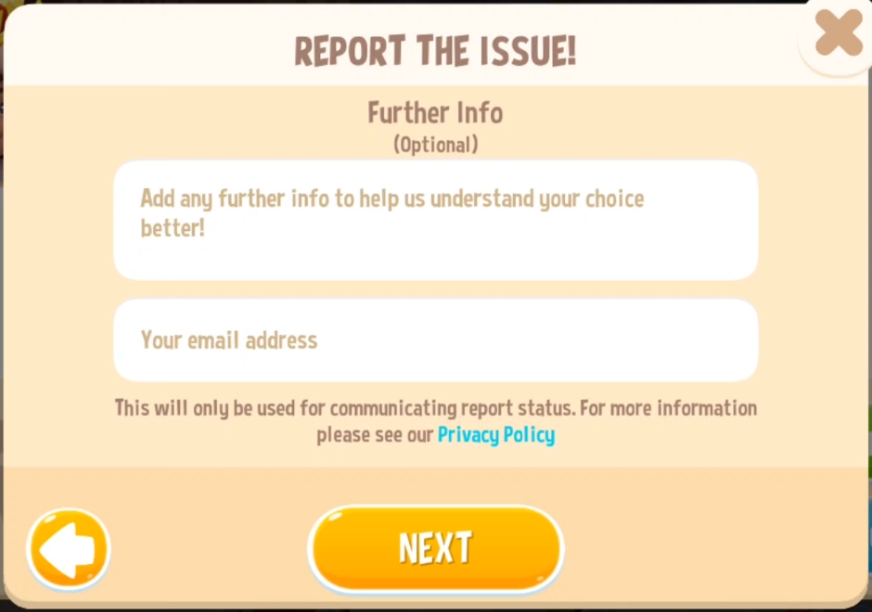
You may choose to add a brief information about your report which can also help with our investigation, as well as your email address which we will use for communicating report status. Or you can just skip and tap on the Next button.
You will be required to check the box to confirm that you agree to our Terms of Service before you can submit your report.
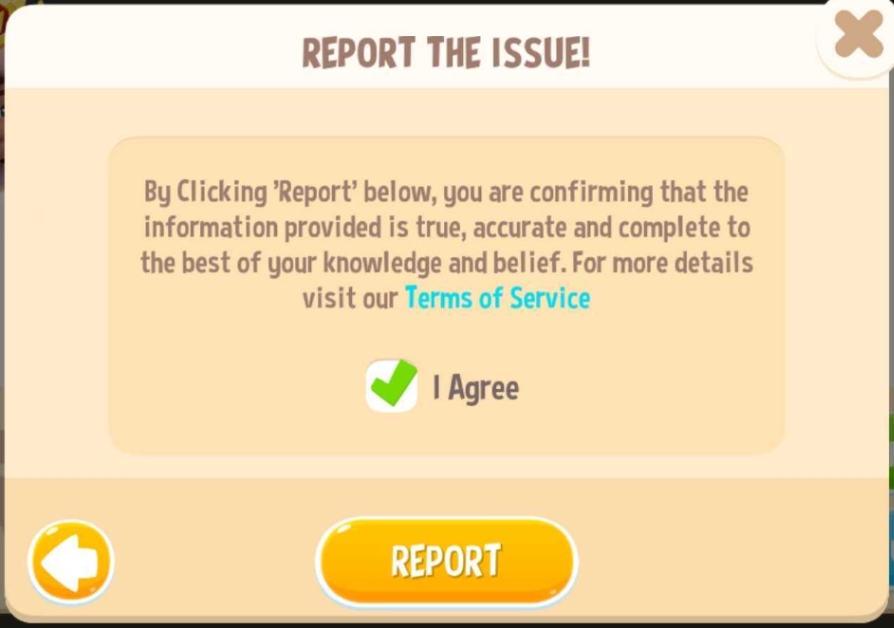
Note: Please bear in mind that sending false reports may result in account restriction or suspension.